
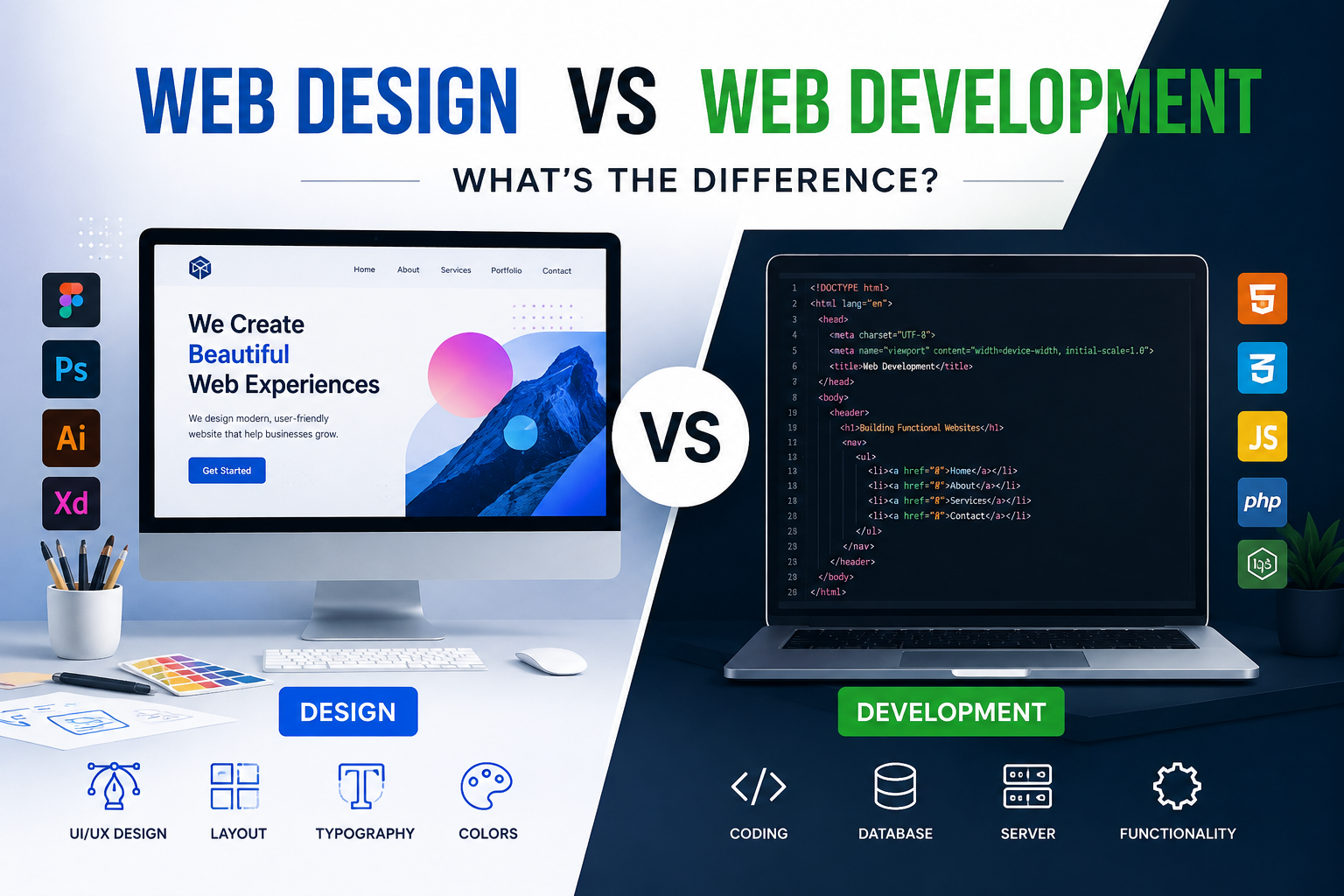
Web Design vs Web Development: What’s the Difference?
When you visit a modern website, everything may seem to work together seamlessly. The colors, layout, buttons, animations, forms, menus, and pages all feel like parts of one complete digital experience. Behind that experience, however, are two different disciplines that work closely together: [Web Design vs Web Development](https://www.nextdegree.tech/services/custom-software-development) .
Although the terms are often used interchangeably, web design and web development are not the same thing. Web design focuses mainly on how a website looks, feels, and guides users, while web development focuses on how the website is built, functions, and performs technically.
Understanding the difference between web design and web development is important for business owners, students, entrepreneurs, marketers, and anyone planning to create or improve a website.
In this guide, we will explain web design vs web development, explore the responsibilities of designers and developers, compare the skills and tools they use, and help you decide which service or career path may be right for you.
---
What Is Web Design?
Web design is the process of planning and creating the visual appearance, structure, usability, and overall user experience of a website.
A web designer decides how a website should look and how users should interact with it.
This includes elements such as:
Page layouts Colors Fonts Images Buttons Navigation menus Visual hierarchy Branding Mobile responsiveness User experience * User interface design
The primary goal of web design is to make a website attractive, easy to understand, and simple to use.
A beautiful website is not necessarily a good website. Effective web design combines aesthetics with functionality and user behavior.
For example, an e-commerce website may look visually impressive, but if customers cannot easily find products, understand prices, or complete the checkout process, the design is not doing its job effectively.
A professional web designer therefore considers both appearance and usability.
---
What Does a Web Designer Do?
A web designer is responsible for shaping the visual and interactive experience of a website.
Before a developer writes the code, the designer often creates a visual plan showing how the website should appear.
Depending on the project, a web designer may be responsible for:
Creating Website Layouts
Designers determine where important elements should appear on each webpage.
For example, they may decide where to place:
The company logo Navigation menu Main headline Images Call-to-action buttons Forms Testimonials Product sections * Footer information
A strong layout helps users move naturally through the website.
Choosing Colors and Typography
Colors and fonts play an important role in branding and user experience.
A financial company, for example, may use professional and trustworthy colors, while a children's brand may use brighter and more playful visual elements.
Typography must also remain readable across desktops, tablets, and smartphones.
Designing the User Interface
User interface, commonly called UI design, refers to the visual elements users interact with.
These may include:
Buttons Dropdown menus Search bars Contact forms Navigation tabs Product cards * Login screens
Good UI design makes these elements clear and easy to use.
Improving User Experience
User experience, or UX, focuses on how visitors feel while interacting with a website.
A web designer may study questions such as:
Can users quickly find the information they need? Is the navigation easy to understand? Is the website comfortable to use on mobile devices? Are important buttons easy to notice? Is the checkout process simple? Are users likely to become confused?
Strong UX design can directly influence engagement, leads, conversions, and sales.
---
Common Web Design Tools
Web designers typically use visual design, prototyping, and collaboration tools.
Popular tools include:
Figma Adobe Photoshop Adobe Illustrator Adobe XD Sketch Canva * Webflow
Figma has become particularly popular because teams can design interfaces, create prototypes, collaborate, and share feedback within the same environment.
Some web designers also understand basic HTML and CSS, although coding knowledge is not always required for every design role.
---
What Is Web Development?
Web development is the process of building, programming, maintaining, and improving websites and web applications.
While designers focus primarily on the website's appearance and user experience, developers turn those designs into functioning digital products.
A developer may build everything from a simple company website to a complex e-commerce platform, booking system, social network, or online dashboard.
Web development typically involves programming languages, databases, servers, APIs, frameworks, content management systems, and technical infrastructure.
---
What Does a Web Developer Do?
A web developer takes the website concept or design and makes it work technically.
Their responsibilities may include:
Writing website code Building page functionality Creating forms Connecting databases Developing login systems Integrating payment gateways Improving website speed Fixing technical errors Connecting third-party services Building APIs Implementing security measures Maintaining website functionality
The exact responsibilities depend on whether the developer specializes in front-end development, back-end development, or full-stack development.
---
The Three Main Types of Web Development
Web development is generally divided into three major categories.
1. Front-End Development
Front-end development focuses on the parts of a website that visitors see and interact with directly.
Front-end developers take designs and convert them into functioning web pages.
The three fundamental technologies used in front-end development are:
HTML
HTML provides the structure of a webpage.
It defines elements such as:
Headings Paragraphs Images Forms Links Lists * Buttons
CSS
CSS controls the visual presentation of HTML elements.
It determines things such as:
Colors Fonts Spacing Layouts Borders Responsive behavior * Animations
JavaScript
JavaScript adds interactivity and dynamic functionality.
It may power:
Interactive menus Pop-ups Sliders Filters Forms Animations * Dynamic page updates
Modern front-end developers may also work with frameworks and libraries such as:
React Vue.js Angular Next.js
The front-end developer is therefore the bridge between visual design and website functionality.
---
2. Back-End Development
Back-end development focuses on the systems working behind the scenes.
Visitors usually do not see the back-end directly, but it is responsible for processing data and managing important website operations.
For example, when you log in to an online account, the back-end may:
- Receive your email and password.
- Check the information against a database.
- Confirm whether your login details are correct.
- Retrieve your account information.
- Send the appropriate data to the front end.
Common back-end programming languages and technologies include:
PHP Python Java Ruby Node.js C# * SQL
Back-end developers also work with databases such as:
MySQL PostgreSQL MongoDB Microsoft SQL Server
They may also manage server infrastructure, authentication systems, APIs, security, and integrations.
---
3. Full-Stack Development
A full-stack developer works with both front-end and back-end technologies.
They may be able to build a complete website or web application from beginning to end.
For example, a full-stack developer could potentially handle:
Front-end interfaces Server-side logic Databases APIs Authentication Hosting * Technical deployment
Full-stack developers are particularly valuable for startups and smaller development teams where one person may need to work across multiple areas.
However, complex projects usually still benefit from specialized designers, front-end developers, back-end developers, testers, and other technical professionals.
---
Web Design vs Web Development: The Main Difference
The easiest way to understand the difference is this:
Web design determines how a website looks and how users experience it. Web development determines how the website is technically built and how it functions.
Imagine building a house.
The web designer is similar to an architect or interior designer who plans:
The appearance Room layout Colors Visual style * User movement
The web developer is similar to the construction and engineering team that makes the building actually work.
They handle the systems behind the finished experience.
Both roles are essential.
A technically advanced website can still fail if the design is confusing.
Similarly, a beautiful design is useless if the website does not function correctly.
---
Web Design vs Web Development Comparison
| Feature | Web Design | Web Development | | ---------------- | ------------------------------------------- | ------------------------------------------ | | Primary Focus | Appearance and user experience | Functionality and technical implementation | | Main Goal | Make the website attractive and easy to use | Make the website functional and reliable | | Common Skills | UX, UI, typography, layout, branding | Programming, databases, APIs, server logic | | Main Tools | Figma, Photoshop, Illustrator, Sketch | VS Code, GitHub, frameworks, databases | | Coding Required | Sometimes | Usually | | Focuses on Users | Strongly | Yes, but more technically | | Works With | Visual interfaces and prototypes | Code and technical systems |
While these differences are useful, modern website projects often involve significant collaboration between designers and developers.
---
How Web Designers and Developers Work Together
Professional website development is usually a collaborative process.
A typical workflow may look like this:
Step 1: Business Requirements
The team first identifies what the website needs to achieve.
This may include goals such as:
Generating leads Selling products Booking appointments Building brand awareness Providing information Offering customer support
Step 2: Website Planning
The designer or UX team may create:
A sitemap User journeys Page structure Content hierarchy
This determines how information should be organized.
Step 3: Wireframing
Wireframes are simple layouts showing where important content will appear.
They usually focus on structure rather than visual styling.
Step 4: UI Design
The designer creates the complete visual interface.
This may include:
Colors Typography Icons Images Buttons Forms * Navigation elements
Step 5: Development
Developers then convert the designs into working webpages.
Front-end developers recreate the visual interface, while back-end developers build the systems and databases behind the website.
Step 6: Testing
The website is tested for:
Mobile responsiveness Browser compatibility Broken links Loading speed Forms Navigation Functionality Accessibility
Step 7: Launch and Maintenance
After testing, the website is launched.
Developers may continue maintaining security, performance, functionality, and software updates.
Designers may also improve pages based on analytics and user behavior.
---
Which Is More Important: Web Design or Web Development?
Neither one is more important.
Successful websites require both good design and good development.
Consider two examples.
Website A
The website has an amazing design but:
Loads slowly Has broken forms Does not work properly on mobile Frequently displays errors
Visitors are unlikely to stay.
Website B
The website functions perfectly but:
Looks outdated Has confusing navigation Uses poor typography Makes information difficult to find
Visitors may still leave.
The strongest websites combine attractive design, smooth usability, fast performance, and reliable technical functionality.
---
Web Design and Web Development for SEO
Web design and web development can both influence search engine optimization.
SEO is not limited to keywords and backlinks. The structure, usability, speed, and technical quality of a website can also affect its organic search performance.
How Web Design Affects SEO
Web design influences factors such as:
Mobile Usability
A website should work comfortably across smartphones, tablets, and desktops.
Poor mobile design can negatively affect user experience and engagement.
Navigation
Logical navigation helps users and search engines understand the website's structure.
Content Readability
Clear typography, headings, spacing, and content structure make information easier to consume.
User Engagement
A confusing or unattractive design may increase the likelihood that visitors leave quickly.
---
How Web Development Affects SEO
Development influences several technical SEO factors.
These include:
Page Speed
Slow websites can frustrate visitors and negatively affect performance.
Developers can improve speed by optimizing:
Code Images Scripts Caching Servers Content delivery systems
Crawlability
Search engines must be able to access and understand website pages.
Technical configuration can affect whether search engines successfully crawl and index content.
Structured Data
Developers may implement schema markup to help search engines better understand website information.
Core Web Vitals
Development decisions can influence important performance metrics related to loading speed, interactivity, and layout stability.
Therefore, strong SEO often requires cooperation between marketers, designers, developers, and content creators.
---
Web Designer Skills
Successful web designers typically combine creative and analytical skills.
Important web design skills include:
Graphic design UI design UX design Typography Color theory Responsive design Wireframing Prototyping Information architecture Branding * Communication
Understanding basic HTML and CSS can also help designers collaborate more effectively with developers.
---
Web Developer Skills
Web developers generally require stronger programming and technical skills.
Important skills may include:
HTML CSS JavaScript Programming logic Version control Git Databases APIs Testing Debugging Website security Performance optimization
The exact skill set depends heavily on the developer's specialization.
---
Web Designer vs Web Developer Salary
Salary levels vary considerably depending on:
Country Experience Technical specialization Company size Industry Freelance experience * Portfolio quality
In many markets, specialized developers may earn higher average salaries because software development requires advanced programming expertise.
However, experienced UX designers, product designers, and senior UI professionals can also command highly competitive salaries.
Career growth depends more on specialization and expertise than simply choosing design or development.
---
Web Design vs Web Development: Which Career Is Better?
The better career depends on your interests and strengths.
Choose web design if you enjoy:
Creativity Visual communication Branding User psychology Layouts Typography * User experiences
Choose web development if you enjoy:
Coding Problem-solving Technology Building systems Logic Debugging * Technical challenges
If you enjoy both creative and technical work, you may also explore:
Front-end development Product design UX engineering No-code development * Full-stack development
These careers often combine elements of design and technology.
---
Can a Web Designer Also Be a Developer?
Yes.
Some professionals have both design and development skills.
For example, a designer may understand:
HTML CSS JavaScript WordPress * Webflow
Similarly, a developer may understand:
UX principles Responsive layouts Typography Figma * Interface design
Professionals who understand both disciplines can communicate effectively across teams.
However, mastering both fields at an advanced level requires significant experience.
Large companies often separate responsibilities between dedicated designers and developers.
---
What Is UI/UX Design?
UI and UX are important components of web design.
UI Design
UI stands for User Interface.
It focuses on what users visually interact with.
Examples include:
Buttons Menus Icons Forms Page layouts Cards * Navigation bars
UX Design
UX stands for User Experience.
It focuses on how efficiently and comfortably users can accomplish their goals.
UX designers may conduct:
User research Usability testing Journey mapping Wireframing * Behavioral analysis
UI asks:
What should the interface look like?
UX asks:
How should the experience work for the user?
Both contribute to strong web design.
---
What Is Responsive Web Design?
Responsive web design ensures that a website adapts to different screen sizes.
Today, users may access websites through:
Desktop computers Laptops Tablets Smartphones
A responsive website automatically adjusts elements such as:
Font sizes Images Navigation Columns Buttons Page spacing
Both designers and developers contribute to responsive websites.
Designers plan how each screen should look, while developers implement the responsive behavior using code.
---
Should You Hire a Web Designer or Web Developer?
The answer depends on your project.
You may need a web designer if:
Your website looks outdated. Your branding needs improvement. Visitors struggle with navigation. You need a new website layout. You want better UX/UI. You need wireframes or prototypes.
You may need a web developer if:
Your website has technical errors. You need custom functionality. You need database integration. You need a booking platform. You need an e-commerce system. Your website needs speed optimization. * You need API integrations.
For a completely new professional website, you will usually need both design and development.
Some agencies provide both services under one website development package.
---
Web Design vs WordPress Development
Another common source of confusion involves WordPress.
WordPress is a content management system that can be used by both designers and developers.
A WordPress designer may work primarily with visual tools and page builders such as:
Elementor Gutenberg Divi WPBakery
A WordPress developer may create:
Custom themes Custom plugins PHP functionality Database integrations * Advanced WooCommerce features
Therefore, WordPress does not eliminate the distinction between design and development.
It simply provides tools that can make website creation more efficient.
---
Do You Need Coding for Web Design?
Not necessarily.
Many web designers create complete website interfaces without writing code.
Tools such as Figma allow designers to create detailed interactive prototypes.
No-code platforms such as Webflow also allow designers to build websites visually.
However, understanding coding basics can still be useful.
Knowledge of HTML, CSS, and responsive design helps designers create interfaces that developers can implement efficiently.
---
Do You Need Design Skills for Web Development?
Not always, but they are helpful.
A developer can technically build a website without being a professional designer.
However, basic knowledge of:
Typography Spacing Visual hierarchy Responsive layouts Accessibility UX principles
can significantly improve front-end development work.
Developers who understand design principles often communicate more effectively with creative teams.
---
The Future of Web Design and Web Development
Web design and development are constantly evolving.
Artificial intelligence, no-code tools, automation, and advanced frameworks are making website creation faster.
AI tools can already assist with:
Generating code Creating wireframes Suggesting layouts Producing website copy Detecting technical issues Creating images Improving accessibility Supporting SEO research
However, these technologies are unlikely to eliminate professional designers and developers.
Instead, their roles are changing.
Designers increasingly need to understand:
User behavior Conversion optimization Accessibility Product strategy
Developers increasingly need expertise in:
AI integration APIs Cloud systems Performance Security Automation
The most successful professionals will likely be those who understand both their core discipline and the wider digital ecosystem.
---
Frequently Asked Questions About Web Design vs Web Development
Is web design the same as web development?
No.
Web design focuses mainly on the visual appearance, layout, usability, and user experience of a website.
Web development focuses on programming and building the technical functionality behind the website.
---
Which is easier, web design or web development?
The answer depends on your natural abilities.
Creative learners may find web design easier, while people who enjoy logic, coding, and technical problem-solving may prefer web development.
Both disciplines require practice and continuous learning.
---
Which is better for freelancing?
Both can be excellent freelance careers.
Freelance web designers can provide services such as:
UI design Landing page design WordPress design Website redesign * UX audits
Freelance developers may provide:
Website development WordPress development E-commerce development Bug fixing API integration Custom web applications
Professionals who can offer both design and development may be able to provide complete website packages.
---
Can I learn web design and web development together?
Yes.
Many beginners start with HTML and CSS, then study basic UI and UX principles before moving into JavaScript or more advanced technologies.
Learning both fields can help you understand the complete website creation process.
However, specialization usually becomes important as your career progresses.
---
Does a business need both a web designer and developer?
For professional custom website projects, usually yes.
A designer creates the experience and interface, while the developer turns that design into a working website.
Smaller projects may be completed by one professional who has both skill sets.
---
Final Thoughts
Understanding web design vs web development becomes much easier when you look at the roles they play in creating a website.
Web design focuses on the visual experience.
It determines how a website looks, how information is presented, and how visitors move through the interface.
Web development focuses on technical implementation.
It determines how the website works, how information is processed, and how features communicate with databases, servers, and external services.
The two disciplines are different, but they depend heavily on each other.
A successful website needs more than attractive visuals. It must also load quickly, function correctly, work on mobile devices, guide visitors clearly, and support the goals of the business.
That is why the best digital projects bring together web design, web development, SEO, content, branding, and user experience.
Whether you are choosing a career path or planning your next website project, understanding the difference between web design and web development will help you make better decisions, communicate more effectively with professionals, and create stronger digital experiences.